Cookie Settings

We use cookies and similar technologies to understand how visitors use our website. You can choose whether to allow analytics cookies.

Change Cookie Preferences

Cookie Preferences

Choose which cookies you want to allow. Your preferences can be changed at any time.

Chicago Social Media Marketers
  • Home
  • Social Media Services
  • Ad Campaigns
  • About
  • Blog
  • Contact

The social media sites your business needs to be using

5/31/2017

0 Comments

 
Picture
The question we get asked the most is “Which social media sites should we be using?” There is no set answer for this question. It all depends on what business you are in and how much time you have to spend each day on your social media marketing strategy.

Facebook- We recommended Facebook to everyone. Not only is it by far the biggest social media site, it is the most read. One estimate puts the average user spending 50 minutes a day on Facebook. No other site comes close to that number. If you only have time for 1 social media site it should be Facebook.

Instagram- Instagram is great for businesses that are visual. Artists, travel companies and restaurants can use engaging photos to create a buzz about their business. Instagram is also a good vehicle to use to get noticed by new people. The right hashtag can get you seen by people who have never heard of you before.

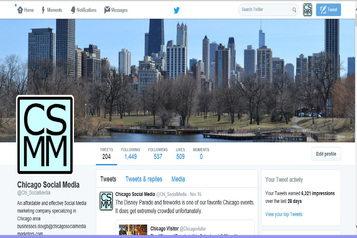
Twitter- Twitter which had lost some of its mojo has been making a comeback. The positive is the ability to use hashtags plus the sharing feature makes Twitter a place where your message can go viral. The negative is that people follow many accounts but spend little time on Twitter. This means that most users only see a small percentage of total tweets on their feed. Use Twitter if you have news you want to get out on a regular basis or if people are genuinely interested in what you are doing. Celebrities and food trucks have had good success using Twitter.    

LinkedIn- Linkedin is a good site for B2B firms or for someone offering professional services. If you have useful information that business professionals will value then LinkedIn can be a great place to reach out to other professionals.

Social media takes time and effort to be done well and to bring you your desired results. If your time is limited it is better to stick to one social media channel and do it well rather than spread yourself thin over numerous channels, not doing any of them well. Resist the urge to link accounts and have Facebook posts sent directly to another site. There are several steps to having a good social media campaign and we have laid them out for you in previous articles.        

0 Comments

Community Management is an important part of any social media campaign

12/7/2016

0 Comments

 
PictureCommunity Management on Facebook
There is more to making a social media campaign successful than creating interesting posts. One of the most important and often overlooked parts of a well-executed social media campaign is community management. Social media is a great platform for building brand awareness. More importantly it can be used to build relationship with customers and clients. People are much more likely to buy something from your store, dine at your restaurant or support your cause if you have established a relationship with them.

 What we mean by community management is responding to people’s comments on your posts and also finding where people have mentioned your organization on social media and leveraging that to your advantage.

The first aspect of community management, responding to comments on your posts, is easy and should be done every day. Everyone likes to be acknowledged and doing it on social media will start to build a relationship with your followers. At the very least you should be reading the comments on Facebook and clicking the like button. It is a very simple and quick way to acknowledge that you have seen their comments and that you appreciate them taking the time to write something. Positive or well thought out comments deserve a little more effort. A simple reply such as, thank you or we are glad you liked our post, will go a long way in creating good will with a follower.

Unfortunately you are going to on occasion get negative comments. These must be addressed. If they are false or vulgar you can hide them from your page. Friends of the commenter will still see it but no one else will. If they are legitimate you should take the opportunity to respond to the comment and explain the situation. The comments should also be used as a source of free feedback for your company.

The second aspect of community management is to search social media to find where people or other organizations have mentioned your business. If someone else has said what a wonderful company you are you want to make sure that as many people as possible see the post. A like or comment on a post signals to Facebook, Twitter or Instagram that it is an interesting post and they should show it to more people. You can also share the post on your page so your followers will see it. Negative posts also need to be responded to. Comments can be used to tell your side of the story and help reassure people that you have heard their concerns and will address the problem.

Comments on your posts are easy to find, you just pull up your social media pages. Posts about you are harder to find and take a bit of effort. The social media sites do make this easier but notifying you when someone tags you in a post. You can either log into your account and check notifications or if you want to be more proactive you can have the notifications sent to you by email. Posts where you are mentioned but not tagged are harder to find. You will need to do a search on the individual social media sites to find them. Another option is to use social media listening sites like Sprout or Hootsuite. They will automate the social media listening process for you. We recommend using these if you are getting several mentions every day.


0 Comments

Should you link your Facebook and Twitter accounts?

11/21/2016

1 Comment

 
Picture
The answer is yes and no. If you have limited time and are not adept at social media go ahead and link them. If you are serious about your social media campaign then do not link them.

So you may be thinking why shouldn’t I link my Facebook and Twitter accounts? It’s certainly the easiest way to go.  In fact it allows you to get 2 posts for the price of one! The problem is that Facebook and Twitter are independent social media sites. They do not work the same way. You should have an overall social media strategy and you should also have a tactical plan for each platform. Linking these two accounts means that you are posting the exact same content on both Facebook and Twitter and you are not taking advantage of the different strengths each offers.

The most obvious difference is the 140 character limit on Twitter. Twitter is designed for quick and compact updates. This limit does not allow you to elaborate on a topic or in a message. Tweeting is a skill onto itself. Facebook allows you to be more eloquent. While you should keep the majority of your Facebook posts short and sweet, you certainly should be using more than 140 characters.

Hashtag use should be tailored to the individual social media platforms. People expect several hashtags in Instagram and it is important to use them. Using hashtags on Twitter is also important but you should be more judicious about it. We are not fans of using hashtags on Facebook. People are not used to seeing them on Facebook. If you are going to do it they should be added at the end of the text. Hashtags in the middle of a sentence on Twitter is common and accepted while on Facebook it makes it tougher to read the post.

Many people will be following you on Facebook and Twitter. If they see your Facebook post and then later see the exact same post on Twitter they will likely ignore it. Getting the same message but in a different format will work to reinforce your message.

There are of course some benefits to linking the two. Linking is a good way to get your Facebook followers to follow you on Twitter and vice versa.   


1 Comment

Tips for getting the best results from your social media posts

2/25/2016

21 Comments

 
Facebook Post
An effective post that reached lots of people.
There are several important steps to developing an effective campaign. While we covered how to put together a social media campaign in an earlier post, the most important step is the posting of interesting and engaging material.  
For starters, it is important to remember that you do not need to create all of your own content. Sharing interesting posts from other pages or sources can be effective and time efficient. Start by finding people, organizations and businesses that are good sources of information. Then simply signup for their emails or like their Facebook page or follow them on social media. That way the interesting posts come right to you and you do not have to search them out.  For example if you have a real estate firm, you should consider following the National Association of Realtors and local online news sources such as Curbed Chicago.   These two examples are great sources of news on the local real estate and building world.  If you own a restaurant you might consider adding your local restaurant association, tourism websites and food and nutrition pages to your connections. Another easy way to find important news is to let Google do it. Their Google Alerts feature allows you to save a search and they will email news that fits your search.

Creating your own content is more time consuming but it does have the added benefit that it lets people know that you are knowledgeable and a reliable source of information.  Ideally you begin this strategy by adding a blog to your website.   It is important to share your blog posts to all of your social media pages. This will bring readers to your website. Make sure your posts are original, interesting or informative.  It is important that your blog post topics relate to your business. Whether it is about the industry you are in, a related field or the city in which you do business, make sure it is somewhat relevant.

Tips for getting the most out of your social media posts:

  • Post a variety of topics. A range of subjects will bring in a large number of readers. 
  • Include a photo. Posts with photos have a much higher engagement rate than ones that do not. If you do not have the necessary photos, there are lots of online sources of free stock photos 
  • Include a video. Videos are by far the fastest growing aspect of social media and with good reason.  They have a high engagement rate and are more likely to go viral.
  • Analyze your numbers. If you spend the time to look at what kinds of posts are bringing in the most likes, shares and views you can better understand what is working for you and concentrate your efforts on those posts.
  • Tag other people and pages in your posts. The hope is that they will share your posts so that their followers will see your content. Only do this when it is appropriate. It is best to say something complimentary about them so they will want their followers to see it. Put @ before typing their name and Facebook and Twitter will pull up a list of options.  Simply click on your name of choice. A restaurant for example could say “we have a great vegetable entrée using the tasty organic vegetables from @nicholsfarm.” Nichols Farm will get a notification that you mentioned them and they will have an incentive to share.
  • Use hashtags.   Putting “#” in front of a word will group your post with other similar posts and make it easier to find when someone searches that topic. Use it sparingly, 1 or 2 per post, otherwise your content will look spammy. 
  • Avoid making mistakes. We covered social media mistakes in a LinkedIn post. 


Please feel free to contact me with any questions at [email protected]


21 Comments

    Author

    Chicago Social Media Marketers is a social media consulting firm.

    Archives

    October 2026
    February 2024
    January 2024
    December 2023
    November 2023
    June 2017
    May 2017
    March 2017
    January 2017
    December 2016
    November 2016
    October 2016
    September 2016
    August 2016
    July 2016
    June 2016
    March 2016
    February 2016
    January 2016
    December 2015
    November 2015
    August 2015
    May 2015
    April 2015
    March 2015
    February 2015
    January 2015

    Categories

    All
    Adwords
    Air Show
    Birds
    Boats
    Chicago
    Chicago Fireworks
    Chicago River
    Christmas
    Facebook
    Fog
    Free Museum Days
    Google Adwords
    Google Plus
    Google Search
    Halloween
    Ice
    Lakefront
    Navy Pier
    October
    Open House
    Photographs
    Ppc
    Puppet
    Restaurant Week 2015
    Seo
    Snow
    Social Media
    Sports
    Spring
    Theater
    Twitter
    Weather
    Winter

    RSS Feed

Site powered by Weebly. Managed by HostGator